


Is the Future of Web Games Serverless? Trends in HTML5 Game Hosting

HTML5 has completely changed how we now play games in browsers. Gone are the days of clunky plugins and its various issues. Today’s web games load instantly and also run smoothly across all devices.
Game developers now face exciting options beyond traditional hosting. They now have static site platforms like Netlify and Vercel to cloud functions and edge delivery networks. Let’s look at how these serverless approaches are reshaping HTML5 game hosting.
From Flash to HTML5
Flash used to rule online gaming but those days ended when HTML5 arrived in 2008. The shift brought plugin-free, mobile-friendly gaming that worked across all devices. Game hosting changed dramatically too.
Developers could deliver games directly through browsers now. They don’t need any dedicated servers or mandatory downloads. And this created a need for more flexible hosting solutions. But traditional hosting models struggled a lot to keep up with demand as HTML5 games grew more complex. And this opens the door for serverless and cloud-based approaches.
Why Serverless Matters
So, what exactly is “serverless” for games? It doesn’t mean there are no servers but rather, the infrastructure gets abstracted away. Developers can now focus on developing games instead of managing servers. The benefit is that these games update instantly. Resources scale up or down automatically based on player traffic. And you also pay only for what you use.
This approach fits HTML5 games beautifully. These games tend to be lightweight and accessible. It needs quick loading times and smooth performance across devices. Serverless hosting delivers exactly that and that too without the headaches of traditional server management.
Netlify, Vercel and Beyond
Many HTML5 games can exist as collections of static files like HTML, CSS, JavaScript and assets. This makes them perfect candidates for static site hosting platforms. Services like Netlify, Vercel and GitHub Pages let developers deploy games through simple drag-and-drop or git-based workflows.
The advantages are huge. Games load super-fast thanks to global CDN delivery. Updates also happen in seconds. And costs stay incredibly low too. And it’s often free for smaller projects.
Independent developers also love these platforms. They can create a game, push it to GitHub, connect it to Netlify and have a globally-available game within minutes. This approach has been utilized by dating apps and free sex dating sites for while and now other project types are catching on. Speed and scalability makes hosting in these ways very advantageous for developers.
Cloud Functions
But what about game features that need backend processing? That is where cloud functions help. Services like AWS Lambda, Netlify Functions and Vercel Functions cab run code without a full-time server.
These functions handle jobs like saving high scores, logging in players, taking in-game buys or matchmaking. They start when called and stop when idle and so there is really no waste.
For example, a puzzle game can use static hosting for all game files. Then a cloud function runs when a player clears a level and updates their progress in a database. This mixed setup keeps costs low and also still adds strong back-end features.
Edge Delivery
If you want to push speed even more then edge compute runs requests near the player. Instead of sending all game data to one base server, platforms like Cloudflare Workers, Vercel Edge Functions and Fastly run code in data centers across the globe. This cut in delay is key for real-time multiplayer HTML5 games. When a player in Tokyo and another in New York play together, edge functions can sync their moves with tiny delay. The game feels smooth even when players are far apart.
Trends Driving Serverless HTML5 Game Hosting
If you look ahead to 2025 you will notice that many trends push HTML5 games toward serverless hosting:
Cloud gaming keeps growing at a fast rate and HTML5 is the best way to deliver those games. Players want instant starts with no downloads. And this trend sets the stage for lighter clients today.
AI game features also run in cloud functions. They tailor play for each person. Not only that but the client devices also stay light and fast.
Blockchain also lets players own in-game items across titles. And serverless backends help manage it all.
Challenges
Serverless is not ideal for every case. Cold starts can slow some of the games. Costs may also rise for steady high traffic versus a fixed server. Security is another task. Game logic spreads across static sites, cloud functions and edge points. You need the same strong rules at each layer.
Collaborative Game Development: Tools and Tips for Real-Time Teamwork

The Rise of Real-Time Collaboration in Game Development
Game development is nowadays hardly a one-man job. Artists, programmers, designers and writers are now collaborating, sometimes remotely, to create immersive worlds and interesting mechanics. The timely delivery of work, the preservation of the creative process, and the smooth incorporation of the efforts of each member of the team require real-time collaboration. The right instruments and approaches will turn a chaotic team into a well-organized and efficient one.
Essential Tools for Seamless Teamwork
The key to collaborative game development is version control. Git is an essential skill in most engines and enables teams to monitor changes, merge code, and reverse errors. GitHub, Bitbucket, and Azure DevOps are examples of platforms that offer cloud-based repositories and collaboration capabilities, so it is convenient to work with code even when it is in different time zones. In the case of Unity projects, Plastic SCM is frequently used because of its support and management of large binary files, whereas Perforce is more frequent in bigger studios that require a strong asset management. To document the design, such tools as Nuclino and Confluence allow editing in real-time and convenient access to game design documents, narrative design outlines, and gameplay notes. Figma is also priceless when it comes to UI/UX design, as it enables different designers to collaborate on the same interface and hand off the assets to the developers. To manage tasks, Jira and Trello provide flexible boards, sprints, and bug tracking, so everyone is on the same track with priorities and progress.
Real-Time Multiplayer and Synchronization Solutions

Development of multiplayer games in real-time is even more complicated. The most popular solutions to synchronizing game states and player actions on different devices are Unity Netcode for GameObjects (NGO), Photon, Mirror, DarkRift 2, and Nakama. These libraries offer client-side prediction, server reconciliation, matchmaking, and chat functionality, which are needed to make responsive multiplayer experiences. The selection of networking solution is based on the scale of your project, the features you need and the technical knowledge of your team. However, these networking solutions have been commonplace for everything from mobile games to adult games like find sex near me, and can even provide value for non-gaming related projects that facilitate a social component.
Communication and Workflow Best Practices
Effective teamwork is based on clear communication. Even small daily sync meetings are beneficial to keep everyone updated on progress, blockers, and what to do next. Special channels in Slack or Discord allow keeping the work-related conversations in order, and the so-called spam or off-topic channels allow keeping up the team spirit. The process of making decisions and allocating responsibilities in each field, such as gameplay, art, technical implementation, makes the process of creativity more efficient and avoids the bottleneck. Task management tools need to be basic, visible and frequently updated to monitor bugs, features, and milestones.
Tips for Productive Collaboration
- Get into version control early, and make sure everyone on the team is comfortable with the fundamentals.
- Utilize the real-time design and documentation tools to prevent confusion and duplication.
- Make meetings short and to the point; technical deep-dives should be done in smaller groups.
- Create an environment where feedback is shared freely and where check-ins are frequent to identify problems before they grow out of control.
- Multiplayer synchronization should be tested on a regular basis to guarantee similarity in the experience of players.
Conclusion: Building Better Games Together
Team play and appropriate use of technology are the ingredients of successful game development. The challenges of real-time development can be avoided by using strong tools to manage version control, design, and communication and by adhering to well-defined workflow principles. The outcome is a more innovative, nimble, and prosperous game-creating experience-regardless of the location of your team.
Game Development Without the Cost: Free Tools and Resources to Get Started

Game development will not require huge budgets anymore, with powerful free tools and resources in 2026. The future game creators are able to prototype, create, and release finished games on any platform without any money and work solely on creativity and iterations.
Godot Engine
Godot is a no-royalty, 2D and 3D engine that is completely open-source. It has a node-based architecture that makes managing scenes easy, and GDScript is Python-like scripting that makes it easy to write prototypes. Plugins are not used to handle animations, physics (through Bullet) or shaders.
Visual scripting is beginner friendly and the 4.3 update supports HTML5 game Web exports better. Export templates are available in Windows, Linux, Android, iOS and web, which makes it reach a wide audience. The libraries of community assets offer free scripts, models and sounds to start projects.
GDevelop No-Code Platform
GDevelop enables non-programmers to use its event-driven system to develop 2D web-based, mobile, and desktop games. Collisions, pathfinding and particle effects are intuitively controlled through drag-and-drop behaviors. Open-source extensible It has open-source extensibility through JavaScript.
Testing is made easy with live previews and instant exports. Platformer, RPG, and shooter templates can be used to speed up development, and free packs are available in the asset store. Post to itch.io or Steam directly, best with hyper-casual titles.
Phaser and PixiJS Frameworks
Phaser is a platform delivering lightweight HTML5 game engines on 2D experiences. Platformers are easily dealt with by arcade physics and scene management and enhanced simulations with Matter.js. Its enormous plugin environment includes tilemaps and spine animations at no cost.
PixiJS is aimed at high-performance rendering, with thousands of sprites in 60 FPS on WebGL. Combine with tailored logic to prototyping. They both support Vite to bundle and hot reload in development.
Asset Creation Resources
Blender is a free 3D modeling, rigging and animation software. Its procedural asset nodes compete with paid geometry nodes. In 2D, Krita has an animation timeline, sprite-specific brush engines, and layer-based drawing.
Thousands of CC0 pixel art, UI packs, sounds, and models are provided by OpenGameArt.org and Kenney.nl. User-generated audio can be found on freesound.org, and clean editing of effects is provided by Audacity. These do away with art bottlenecks among individual developers.
Audio and Prototyping Aids
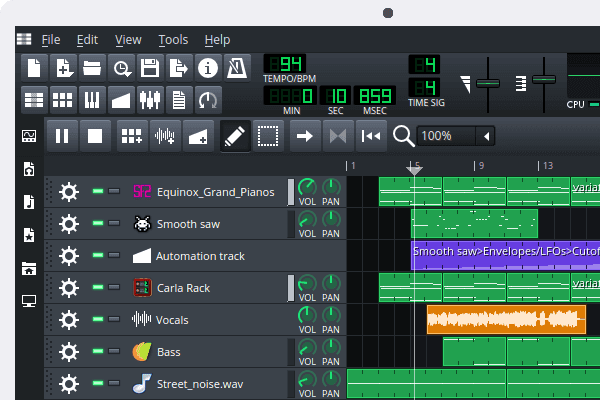
LMMS is a chiptune producer and MIDI composer that supports VST. Bosca Ceoil creates retro soundtracks with the use of basic loops. Prototyping Bitsy builds small story-based games, learning how to build core loops in a short time.
Platformer-level tiled maps, which export JSON to Godot or Phaser. The free trial versions of Aseprite such as LibreSprite are used to animate pixel art. These are linked to form entire pipelines.
Publishing and Learning Platforms
Itch.io also accepts free uploads, which have a pay-what-you-want model, and portfolios are created using it. GitHub contains projects in an open repository which encourages collaboration. Tutorials on Godot can be found in YouTube channels such as GDQuest, and official documentation can be found in step-by-step instructions.
Feedback loops exist in communities on reddits in r/gamedev and Discord. Those who start with them deliver first games in weeks, and improve their skills through an iterative process.
Free tools open up the game creation process, transforming concepts into gameplays within a short period of time.
Essential Tools for HTML5 Game Developers in 2026

In 2026, HTML5 game development is flourishing, and there are more sophisticated tools to streamline the prototyping through deployment processes. These necessities enable developers to create high-performance, cross-platform games using WebGL, Canvas, and future standards of WebGPU.
Game Engines and Frameworks
Phaser is the foundation to 2D HTML5 games, including Canvas and WebGL rendering, hidden physics through Matter.js, and an enormous ecosystem of plugins. It is also lightweight and supports animations, particles and input in a way that fits arcade style titles.
Construct 3 is a no-code product, and it is possible to visual script with the help of drag-and-drop events to create a prototype quickly. It is appropriate with HTML5 exports, multiplayer, and browser-based editing, so it can be used by solo developers to create a mobile-ready experience without extensive coding.
PixiJs is used to render games that have a high number of sprites, and it provides a high frame rate with accelerated graphics. Combine it with custom physics libraries to support flexible shooters or platformers architectures.
Visual Editors and Collaboration Platforms
The PlayCanvas 3D editor is a cloud-based application that revolutionizes the development of 3D applications by allowing real-time collaboration by teams similar to collaborative live document tools. Such characteristics as entity-component systems, VR/AR, and automatic builds make complex projects faster.
Cocos Creator is a combination of visual scene creation and TypeScript scripting, which is ideal in hybrid workflows. It exports polished HTML5 bundles in its modular pipeline with taking care of animations and asset management.
Optimization and Debugging Tools
Chrome DevTools is developed with WebGPU profiling and it displays bottlenecks in shaders and draw calls. Lighthouse audits are used to guarantee mobile performance, whereas Workbox makes it easy to cache services to play offline.
Webpack 6 and Vite tree-shake and use hot module replacement to bundle assets, reducing load times. In the case of asset pipelines, TexturePacker creates HTML5 game development flourishes in 2026 with the tools that will make work processes between prototyping and deployment easier. These necessities increase productivity, performance, and cross-platform releases, both to individual developers and teams.
Phaser Framework

Phaser is the foundation of 2D HTML5 game development with Canvas and WebGL rendering. It has physics engines such as Arcade and Matter.js, which are easy to use, and a wide range of plugins, such as audio, particles, and input. Its active community and tutorials are highly lauded by developers because of its fast iteration.
Type safety in bigger projects is guaranteed by integration of TypeScript. Phaser 4 previews are more mobile optimized and modular imported, size of bundles can be reduced by up to 40%. Perfect in arcade-like games, it can be exported to browsers and progressive web apps.
Construct 3 Editor
Construct 3 is an excellent no-code visual engine, which can be used by designers who do not want to use JavaScript. Event sheets are created using drag-and-drop, not scripting, and prototyping can be created in hours. It has a browser interface, which allows offline work and export to HTML5, Android, iOS, and Steam.
Complex mechanic simulations such as pathfinding are simulated with advanced behaviors. Add-ons that are multiplayer are based on WebSockets to play in real-time. It also has speed in terms of iteration of casual games and educational projects with the assistance of AI to generate assets in updates of 2026.
PixiJS Rendering Engine
High-performance 2D rendering PixiJs is used to render thousands of sprites at 60 FPS. The overhead of WebGL is kept down, and it is therefore best suited to particle effects and scrolling worlds. Top it with custom physics to achieve custom architectures that cannot be matched by full engines.
Mobile GPUs are optimized with batch rendering and filter. In the v8 version, the adaptive resolution scaling is added, which maintains the quality of images when used on different devices. Sprite sheet tools and texture atlases reduce draw calls by a significant margin.
PlayCanvas 3D Platform
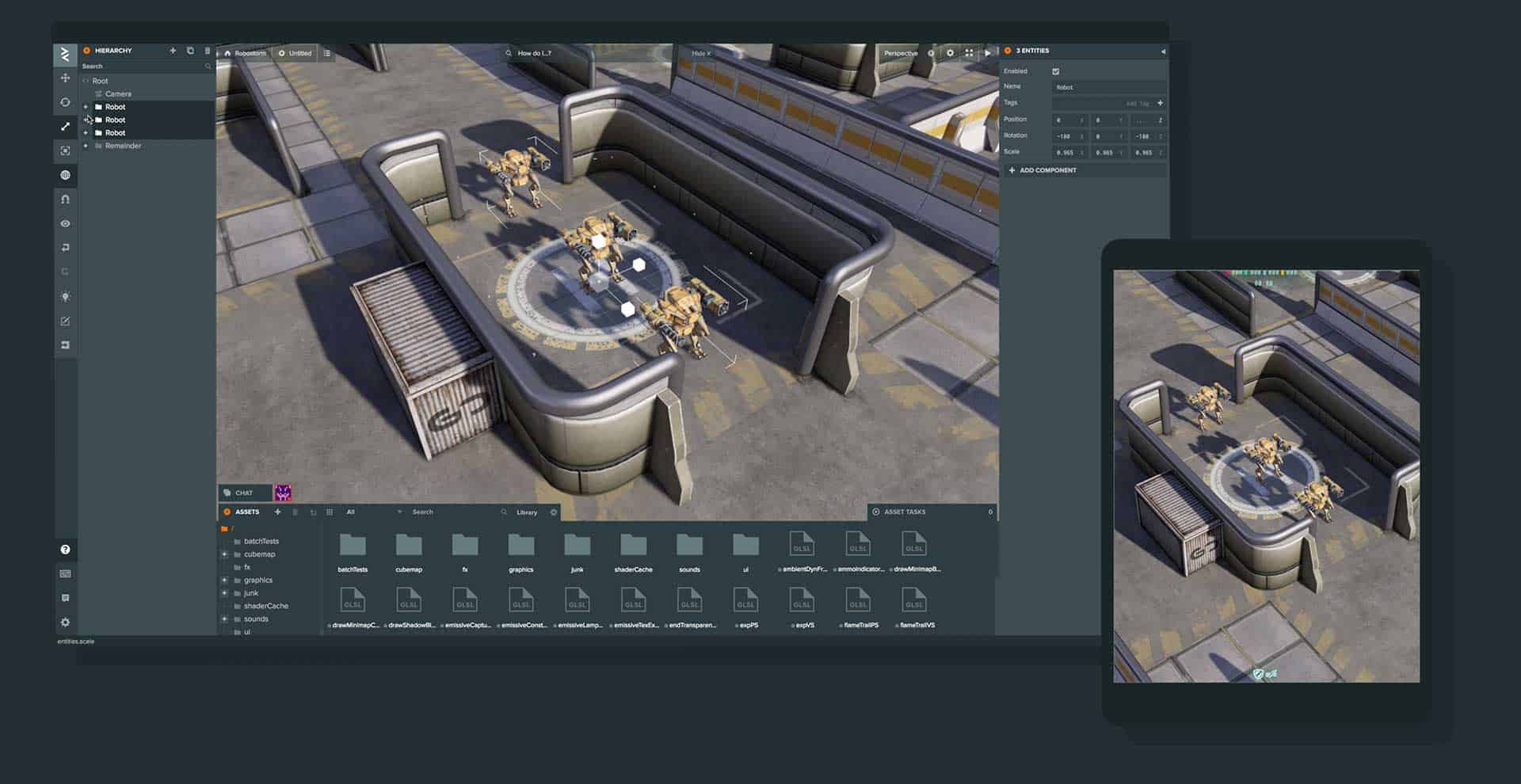
PlayCanvas is the most recent to develop 3D HTML5 and work together on clouds like live docs. Real-time editing allows teams to create glTF models and lightmaps at the same time. It has an entity-component framework that is scaled to VR/AR experiences through WebXR.
Deployments are made easier with automated asset hosting and CI/CD pipelines. The Ammo.js physics is the accurate representation of rigid bodies. Web-first title iteration times can be reduced to a fraction of the time it takes to get an instant response with browser-based previews.
Cocos Creator Suite
Cocos Creator is a combination of visual editing and TypeScript scripting of 2D/3D hybrids. Its scene graph and animation timelines are as good as the workflow of Unity. Modular builds are aimed at HTML5 with particle editors and spine support of skeletal animations.
Asset pipelines combine AI upscaling of textures of low resolution. Cross engine compatibility facilitates the process of porting of native. It has 8% market share in new HTML5 releases which is appropriate in polished mobile exports.
Debugging and Optimization Aids.
The WebGL inspector of Chrome DevTools profiles frame graphs on-the-fly. Lighthouse is post-build performance audit. Tree-shaking by webpack bundlers eliminates dead code, whereas Vite has lightning-fast HMR development.
Clean code bases are enforced by Prettier and ESLint. These tools detect memory leakages at an early stage to guarantee 60 FPS on mid-range gadgets.
The use of these tools in 2026 will enable developers to create immersive HTML5 games effectively over the ecosystems.
Top Mistakes to Avoid When Developing Games with HTML5

The development of HTML5 games provides a flexible framework that allows one to develop a browser-based game, yet traps have the potential to bring the project to a halt. These are the mistakes that can be avoided to guarantee a smooth performance, increased compatibility, and increased engagement of the players.
Neglecting Performance Optimization
Optimization is usually not considered by the developers, and this results in slow games. Uncontrolled DOM manipulation and poor loops consume resources leading to drop in frames. RequestAnimationFrame: This is a smooth looping technique that can be used to create smooth loops without being garbage-collected as often as it would be created with the traditional method.
Large files such as uncompressed pictures and audio files weigh on loading. Zip files, use sprite sheets to batch-render and use lazy loading to load the most important resources first. Profiling tools expose the bottlenecks at an early stage avoiding the fixes after launch.
Skipping Cross-Browser Testing
It is a very serious mistake to assume that all browsers will act in the same way. Such features as Canvas rendering are different in Chrome, Firefox, and Safari, which causes visual glitches or crashes. Test on several engines initially, and polyfill gaps such as older WebGL support.

Premixes can be detected using vendor prefixes, and feature detection using Modernizr can be useful, but edge cases are detected by manual inspection. Gamers discard non-uniform experiences, thus simulate devices using tools such as BrowserStack to cover all.
Ignoring Mobile Responsiveness
Desktop-first design does not work on touch devices, where the zoom in and out of viewports interferes with controls. Fixed pixel sizes do not count on the various screen ratios resulting in a cropped content or black bars. Apply set meta viewport tags to turn off scaling and relative units such as vw/vh to adaptive layouts.
Unlike mouse events, touch inputs require bigger hit areas and gesture processing. Skip hover states and focus on swipe mechanics; debug on actual hardware as a way of faking latency and orientation changes.
Poor Asset and Network Handling
On-demand loading of all assets is a network killer, particularly on mobile. Games are stuttered without preloading strategies. Asynchronous loading with progress bars and CDNs can be used to deliver faster, cache manifests can eliminate repeated downloads.
The spikes on the CPU are caused by unoptimized logic such as recalculating physics per frame. Offload to Web Workers of non-UI work and batches of draw calls in Canvas or WebGL. Failure to address these causes battery drain and drop off by the user.
Overlooking Security and UX

Allowing localStorage to reveal game state is also open to manipulation, which allows cheating. Authenticate on the server-side to support multiplayer and filter inputs to prevent XSS. New users are annoyed by poor UX such as lack of clear instructions or high curves.
Lack of feedback loops or inconsistent styles of art interrupt the immersion. Early prototype and playtest, work on natural controls. Beta testing is done rigorously to uncover bugs.
These things can be mastered to prevent pitfalls and produce refined HTML5 games that impress audiences of all platforms.
Making High-Performance 3D Games with HTML5

Leveraging WebGL for Hardware Acceleration
High-performance 3D games can be created using HTML5 WebGL, a JavaScript API using the OpenGL ES 2.0 on-the-fly API, which is executed on the GPU. WebGL is a cross-browser implementation of complicated shaders, textures, and lighting with no plugins, rendered through the element of canvas. Begin with a simple scene: initialize a WebGL context, configure vertex/fragment shaders that do 3D transformations, and render triangles that comprise meshes. This is optimized on desktops and mobiles by the modern browsers at 60FPS.
Essential Tools: Three.js for Simplified Development
Raw WebGL requires low-level mathematics, and therefore, Three.js – a lightweight library with abstracts of scenes, cameras and renderers is recommended. Start with Scene, PerspectiveCamera and WebGLRenderer. Create meshes Geometry (or BufferGeometry to be efficient) and Materials (MeshPhongMaterial to be realistic in lighting). OrbitControls allow navigation using a mouse/keyboard. Three.js is matrix-based, culling and LOD are automatically managed, boilerplate is cut, and performance is preserved.
Optimize Rendering for Smooth Framerates
The performance depends on the efficient loops with requestAnimationFrame() to synchronize at around 60FPS. Reduce the number of draw calls through geometries batching and through InstancedMesh when dealing with a repeated object such as a particle or enemy. Use frustum culling to avoid on-screen rendering and LOD in faraway models. DirectionalLight Shadow mapping with PCFSoftShadowMap optimization improves images without delay. Browser dev tools profile- target less than 16ms per frame.
Efficient Collision Detection and Physics
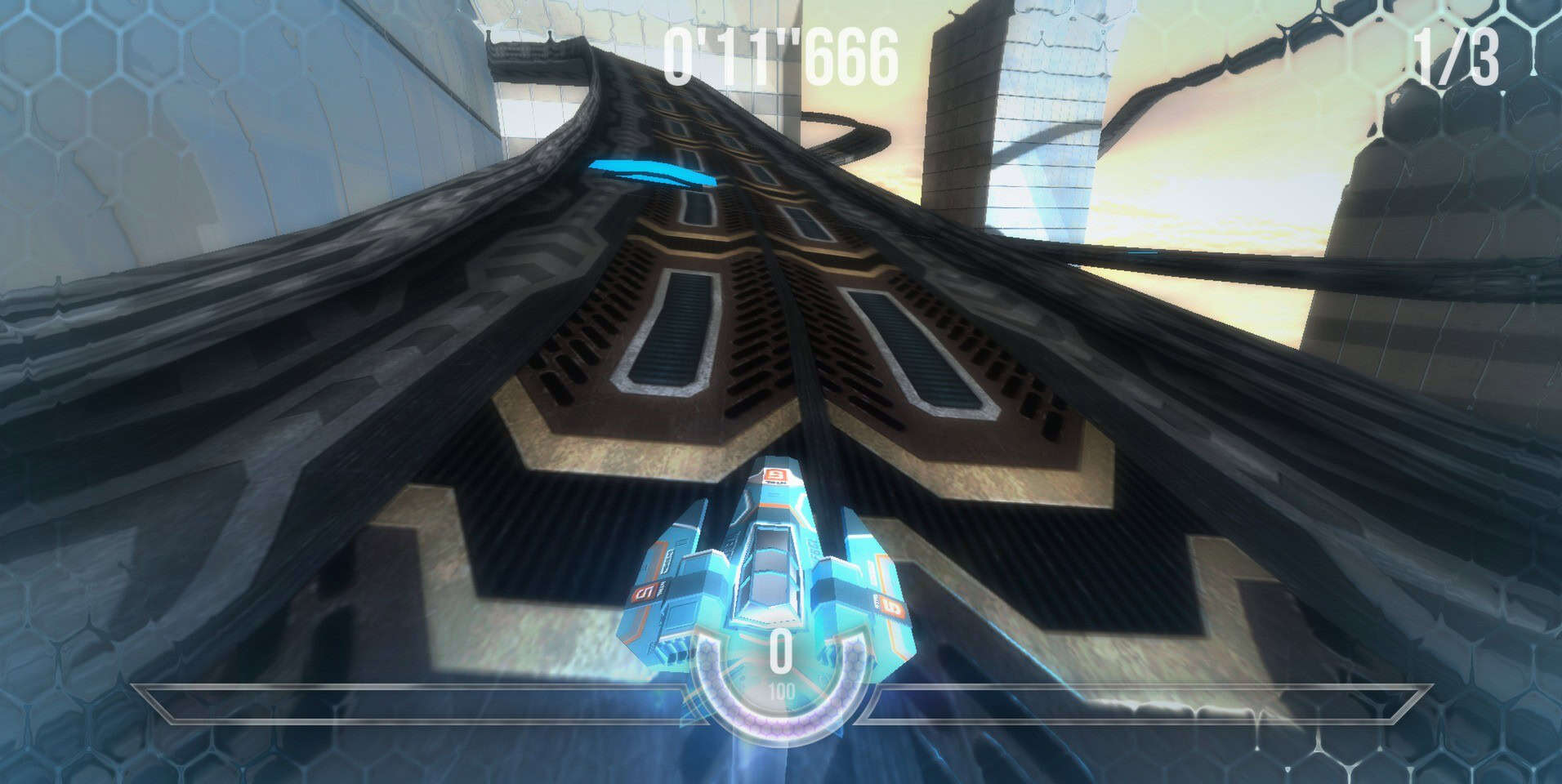
Smart physics is required in High-perf 3D. Interact with the mouse with raycasting and collide with Box3.intersectsBox. In case of complex shapes, Octrees divide space and only query nodes that are relevant. Add Cannon.js or Ammo.js (Bullet port) to support rigid bodies, gravity and constraints- sync with Three.js through custom loops. Do not check per-frame N-bodies: spatial partitioning reduces O (n 2) to O (log n).
Asset Management and Loading Strategies
Load models (GLTF through GLTFLoader), textures (TextureLoader with mipmaps), and audio are loaded asynchronously with LoadingManager to have progress bars. Compress assets: KTX2 or Basis textures save 50% of memory. Compression geometry Use Draco. Preload crucial assets; lazy-load thresholds. On mobile, poly count less than 50k and less than 2K textures.
Mobile Optimization and Deployment
Test at 30-60FPS on devices that have weaker shadow quality, less complex shaders, and devicePixelRatio scaling. AI/physics offloading Use Web Workers. Offline play is possible through Progressive Web Apps (PWAs) through service workers. Publish to itch.io or GitHub Pages; test on WebGL Report to enable features. Rapid iteration can be provided using tools such as PlayCanvas which have visual editors.
The 3D gaming of HTML5 is democratized- no installations are required. Since prototypes to refined titles such as Babylon.js demos, optimization and iteration should be given focus in providing immersive experiences across devices.
How to Use Free Game Assets Legally and Effectively
Understand Licensing Before Downloading
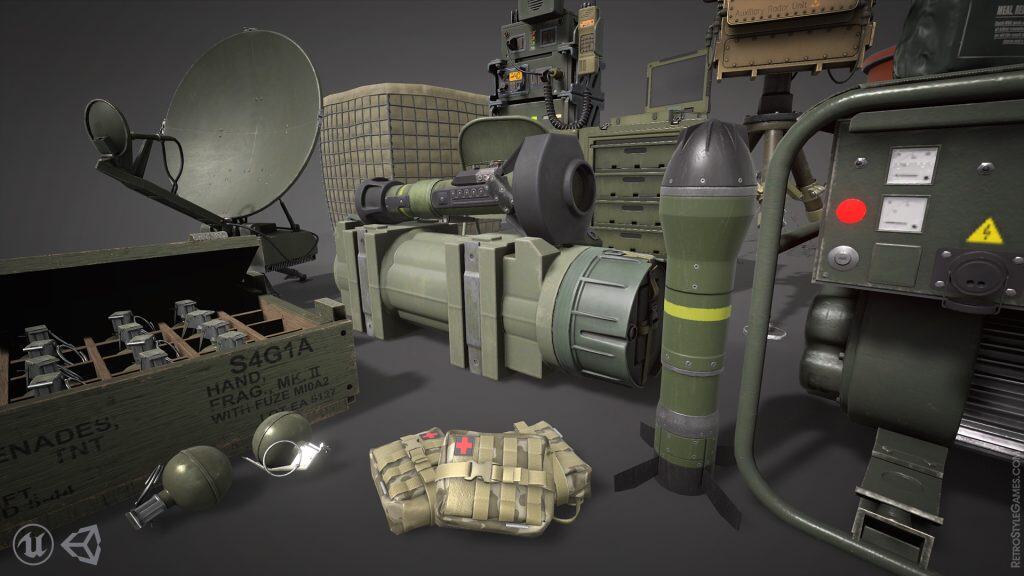
Free game resources, such as sprite, sounds, models, user interface screenshot, etc., are used under a particular specification. Some common ones are Creative Commons (CC0 representing the public domain, the CC-BY needing a credit), royalty-free (commercial use is allowed, with credit), and it is public domain (without restrictions). Never miss the license file or description on other websites, such as OpenGameArt, itch.io, or Kenney.nl. CC-NC does not allow commercial usage; CC-ND does not allow changes. Recording these without permission may be takedowned, sued, or even banned by stores such as Steam.
Source from Reputable Platforms
Always stick with renowned repositories so that it is legitimate. OpenGameArt has CC-licensed art, FreeSound has audio with the CC-BY license, and Unity Asset Store free packs give commercial rights. Do not use torn game assets or unadopted torrents they are copyrighted, even when it’s free work. Check the intent of the creator: others permitting standalone packs of indie games. You have documents as your records.
Attribute Properly and Comply Fully
Add credit to game credits screen, about page or asset files as needed. Example: “Sprites, by ArtistX (CC-BY, opengameart.org)]. For bundles, list all. In case of modification (e.g. recoloring sprites), ensure ND-free licenses. Same terms derivatives are required by share-alike clauses (CC-SA). Failure to comply cancels authorization, even of free games.

Integrate Assets Seamlessly for Polish
Prototypes can be turned into pros with a good use, which matches art styles, pixel assets in retro games or 3D low-poly in mobile. Immersion sounds: ambient loops, + SFX. Consistent menus are to be used with UI kits. Iteratively replace, prototype fast. Applications such as Aseprite (edit sprites) or Audacity (adjust audio) help the process to be coherent without having to create an entirely new piece of information.
Avoid Common Pitfalls and Conflicts
Cross-licensing is a pain in the neck–CC-SA content can not cross-license with proprietary code without problems. Performance test: high-poly free drain mobile batteries. Do not sell packs as-is or include in objectionable content (most of them forbid it). Flexibility is provided in the case of jams/hobby projects but there is a need to adhere to distribution. Pre-release replacement of placeholders.
Scale Up with Commercial Readiness
In the case of monetized games, licensed sales are allowed (most royalty-free do). Create asset pipelines: classify folders according to their type, version control changes. Colleagues are attracted by credit rolls, which improve professionalism. In the long run, change to originals to brand. The use of law is time-saving/money-saving, and the emphasis is put on the gameplay.
Learning licenses will make it legal to be creative. Beauty in the simple, give credit thoughtfully, repeat cleverly, indie success is made of nothing and involves no risks.
The Future of Web-Based Games: Trends in HTML5 Game Development

Rise of Cross-Platform Compatibility
HTML5 has brought a new revolution to web-based gaming in that game developers can now develop games that can be used across desktops, mobiles and tablets without downloading or using any plug-in. This cross-platform is very important since most players use games on diverse devices. The ability of HTML5 to adjust to the screen size and input techniques also make it dominate the web gaming as gamers are guaranteed of the best experiences wherever they go.
Integration of Cloud and AI Technologies

Cloud gaming is transforming the concept of browser based games with the streaming of high end content off remote servers eliminating the limitation of devices. Combined with HTML5, this allows more advanced games that are heavy on graphics to be played in real-time without any installations. AI is also being used to improve gameplay through adaptive NPCs and personalized experiences reacting dynamically to player behaviour, and is making games more interactive and challenging.
Progressive Web Apps and Offline Functionality
PWAs are HTML5-based applications that create a thin boundary between native and web applications. They provide offline playing, push notifications and quick loading, which are app-like. This direction makes gaming more accessible and at the same time makes sure that players are engaged without the hassle of having to go through app stores or installations.
Advanced Graphics and Performance

HTML5 games can provide almost native graphic quality and processing speed using technologies such as WebGL 2.0 and WebAssembly. This development allows the developers to create the world of immersion and smooth animation right inside the browsers, competing with the traditional gaming platforms both in terms of visual and functional capabilities.
Social and Blockchain Gaming
There is a further increase in social multiplayer experiences with a large number of HTML5 games adding chat, leaderboard, and collaborative functionality. The blockchain technology is also a new concept that provides safe transactions and true ownership of digital objects in games, creating new options of monetization and gameplay.

To conclude, the future of HTML5 game development is cross-platform functionality, cloud and AI connectivity, improved graphics, and social connectivity. All these trends make web-based games a friendly, potent frontier to both players and creators.
From Idea to Launch: The Complete Workflow of an HTML5 Game

The process of creating a game that utilizes the HTML5 platform is an organized and detailed process that transforms an idea into a working and interactive game that works on multiple devices. HMTL5 offers an efficient game development platform and is supported by most browsers and has an open-ended ability. The full workflow can be known to assist developers develop games that engage players in the global world with minimal efforts.
Planning and Conceptualization
The establishment of any great game has a definite concept. Begin by brainstorming your game genre, plot, mechanics and art style. Determine who your audience is and what are your main objectives of playing. To plan ahead the stages, characters, and the main features of the development is designing a road map. This stage is useful in making sure that the game concept is not only interesting but it can be executed within your resources.
Setting Up the Development Environment
Once you have a good idea, select one of the suitable game engines/frameworks. Popular game engines written in HTML5 include Phaser, Construct, and PlayCanvas, and include powerful tools to render and interact. Install your software and hardware environment, including text editors, graphic design and debugging tools. Arrange project files according to scripts, assets and stylesheet to facilitate development.
Creating Game Assets

The game is brought to life with visual and audio resources. Create your own design characters, backgrounds, animation and sound effects that match your gameplay and theme. These assets can be done by yourself through graphic design and audio programs or they can be obtained online as royalty-free. In order to improve loading time and guarantee a pleasant experience on any device, it is necessary to optimize assets to be used in the web.
Developing Game Mechanics and Logic
Your HTML5 game is made up of coding. JavaScript (with optional third-party libraries) is used to develop the fundamental mechanics of the game, including player controls, scoring, and collision detection, and game physics. Install the game loop, which constantly changes the game state and draws graphics to the HTML5 canvas element. Make sure that they have responsive/intuitive inputs (keyboard, touch, mouse) to players.
Integrating Animations and Interactivity
Animations are used to immerse the viewer making the characters and the environment look alive. JavaScript will help to change the positions, sizes, and appearances of sprites every frame in the game loop. Introduce interactive features based on player actions or game events, e.g., power-ups or enemy behavior. Sound is also integrated into the experience and background music and effects react to the gameplay.
Testing and Debugging
Comprehensive testing is very important prior to the launching. Test your game with the different browsers and devices to ensure that it looks good and it works. Applications Debug problems, performance optimization, and responsiveness with developer tools. The usability issues and feedback on difficulty and enjoyment can be obtained by inviting beta testers who will help to make the final product.
Optimization and Launch

Using assets and code minification can be used to optimize your game before launch and minimize load times. Use caching techniques in quick repeat playing. You can host your game on such platforms as GitHub Pages, itch.io, or on dedicated servers, making them highly accessible through the use of URLs. Advertise your game on social networks, gaming forums, and the press to create a following.
Post-Launch Support and Updates
The development of a game does not stop on the release. Track feedback and usage statistics of players to determine bugs and areas to improve. Add new features, levels or events regularly to keep the player interested in your game and give it a longer lifespan.
To conclude, the process of developing an HTML5 game, including the idea, development of creative assets, strong code, thorough testing, and further improvements, require thorough planning, creative development of assets, and excellent code, careful testing, and continuous improvement. Such a systematic practice can assist the developers to create high-quality, entertaining games, which can be played smoothly in a variety of platforms.
10 Must-Have Features in a Modern HTML5 Game Engine

Powerful Cross-Platform Support
A contemporary HTML5 game engine should run games on desktop, browser, tablet, and smartphone environments without having to re-write the code. The ability to have cross-platform compatibility enforces players to have the same experience enhancing the range of a game and abetting a multiplicity of channels in which a game can be distributed.
Robust Rendering Capabilities
Search for engines that have a high level of 2D and 3D rendering, WebGL and Canvas compatible. Good visual effects, ample use of sprite management, and good animation are essential in order to make games that are visually captivating. Optimal rendering pipelines achieve the best performance of devices
Built-In Physics Engine
Physics simulation provides a sense of realism and immersion into games. Important capabilities are collision detection, rigid body dynamics and simulation of real-world friction. Modern engines will commonly have customizable physics modules which can be used to control all aspects of gameplay including character movement and complex object relationships.
Flexible Asset Management
Efficient management of images, sounds, models and scripts is essential to fast development. Engines must be able to support asset pipelines to import, optimize and organize various file types, to reduce the time needed to streamline build processes and improve load times.
Intuitive Scene and Level Editors
There is an all-in-one drag-and-drop scene editor to speed up prototyping and iteration. Developers can organize levels, place objects and view them in real time, which is less time-consuming and allows them to experiment with it quickly.
Comprehensive Scripting Support
A powerful scripting system, typically through JavaScript or TypeScript, will allow developers to add gameplay mechanics, UI interactions, and custom logic. Hot-reloading and debugging tools are a great way to improve the productivity because of the possibility to iterate the code in real time.
Rich Animation System
Modern engines offer timeline-based editors, skeletal animation and blending to create smooth transitions. Be it in the way characters move or the environmental impact, well-rounded animation tools help the games feel more animated and finished.
Multi-Touch and Input Handling

Input support must include keyboard, mouse, touchscreen and controllers. Support of input mapping flexibility, gesture recognition, and event systems allow the development of accessible, interactive experiences on a wide range of devices and targeting diverse audiences.
Networking and Multiplayer Integration
As online play is in vogue as never before, engines have to provide in-built networking support, real-time synchronization, matchmaking, and chat. Cloud APIs to connect with cloud servers and third party multiplayer frameworks enable developers to create interesting social games.
Extensibility and Community Resources
Open architectures such as plugin or extension systems allow developers to extend game engine capabilities The ability to access asset stores, user contributed libraries, and thorough documentation/support communities improves the scalability of a project and solving problems. A vibrant ecosystem will make sure that developers are able to consistently take advantage of new tools, tutorials and shared expertise.
Conclusion
Modern HTML5 game engines are supposed to do much more than just some basic rendering- they must enable developers to create, refine, and ship quality games in a short time. With a focus on such features as cross-platform deployment, rich editing features, extensive scripting, and a thriving community, game developers position themselves to succeed in an industry that is constantly developing and one in which competition is intense.
Building Browser-Based Games: A Step-by-Step Development Guide

Choosing Your Tools and Technologies
Select the fundamental technologies which will power your browser-based game before beginning development. HTML5 together with CSS and JavaScript functions as the primary building components for games because they provide simple development alongside minimal technical hurdles. The game development process becomes more efficient through the use of Phaser.js as well as hand-written coding from scratch when developers need to implement rendering and asset management and physics functions. A plain JavaScript project with HTML <canvas> represents an ideal learning platform for new developers because it allows them to understand basic mechanics while maintaining complete visibility.
Setting Up Your Environment
The first step involves picking a code editor. Free options like VS Code, Sublime Text, or web-based platforms such as CodePen make prototyping and testing rapid and straightforward. The game project requires three essential files: index.html for basic structure followed by style.css for visual design and script.js for logic execution. The game development process remains organized and maintainable throughout growth because of modular code structure.
Creating the Game Canvas
The central element of browser games exists within the HTML <canvas> tag. Through this element you can draw both graphical elements and user interface components as well as background images. Set the dimensions of your canvas in the HTML document to match your game design requirements. JavaScript enables the connection to this canvas which allows developers to initiate drawing shapes and backgrounds and images through its 2D context. The game loop starts with window.requestAnimationFrame which enables smooth coordinated updates and animations.
Implementing Game Objects and Logic
After defining the game foundation you should create its main objects that include player characters and enemy units together with environmental elements. The state and behavioral characteristics of each entity should be stored inside JavaScript objects or ES6 classes. The development of functions must include both rendering capabilities and movement functionality as well as collision detection features and scorekeeping mechanisms. For example, you might:
- Store player position and velocity.
- Write an update function to adjust these values based on user input and game mechanics.
- Implement collision detection for interactions, such as between the player and obstacles or pickups.

Adding Interactivity with Controls
Player engagement depends heavily on how responsive your game feels. You should use keyboard and mouse or touch events to transmit player actions into your game logic which enables character movement and jumping and shooting and ability triggering. The controls require precise input handling to achieve natural and snappy responses which developers can refine through development testing and playtesting.
Enhancing with Graphics and Audio
To integrate images into your game you should load them for rendering purposes on your canvas. The game can achieve a retro or minimalist look by using basic shapes combined with limited color choices. The HTML5 Audio API enables developers to implement background music and sound effects which enhance the gaming experience by providing feedback during actions and achievements.
Managing Game States and Scoring
The player journey needs defined states (menus, active gameplay, pause, game over) to direct the experience. The states need to change according to player inputs or loop events happening in your game system. A scoring system or level progression helps track player advancement while offering concrete goals to reach and a sense of accomplishment. The game displays scores and messages through dynamic rendering functions or HTML overlays.
Testing and Debugging
Regular testing of your game across multiple browsers will help you verify both performance levels and compatibility. The browser developer tools allow users to inspect DOM elements and debug JavaScript code and profile rendering activities. Let friends or colleagues playtest your game while asking them for feedback because their different perspective will reveal gameplay or UI problems.
Optimizing and Publishing
The performance can be enhanced through reduced draw calls combined with object reuse and compressed asset sizes. When your game reaches a high level of polish you should release it through file uploads to a web server or deploy it on Itch.io and your personal website for worldwide accessibility. Larger projects should be packaged as Progressive Web Apps (PWAs) for offline capabilities and installable features.
Browser-based game development provides an accessible creative experience that delivers instant global sharing and feedback through devices. Your game will entertain worldwide players through careful planning and iterative development alongside community engagement.